November 16, 2026
Merge Queues At AI Speed: Hundreds of Pull Requests A Day Without Breaking Main
Seth Therrien
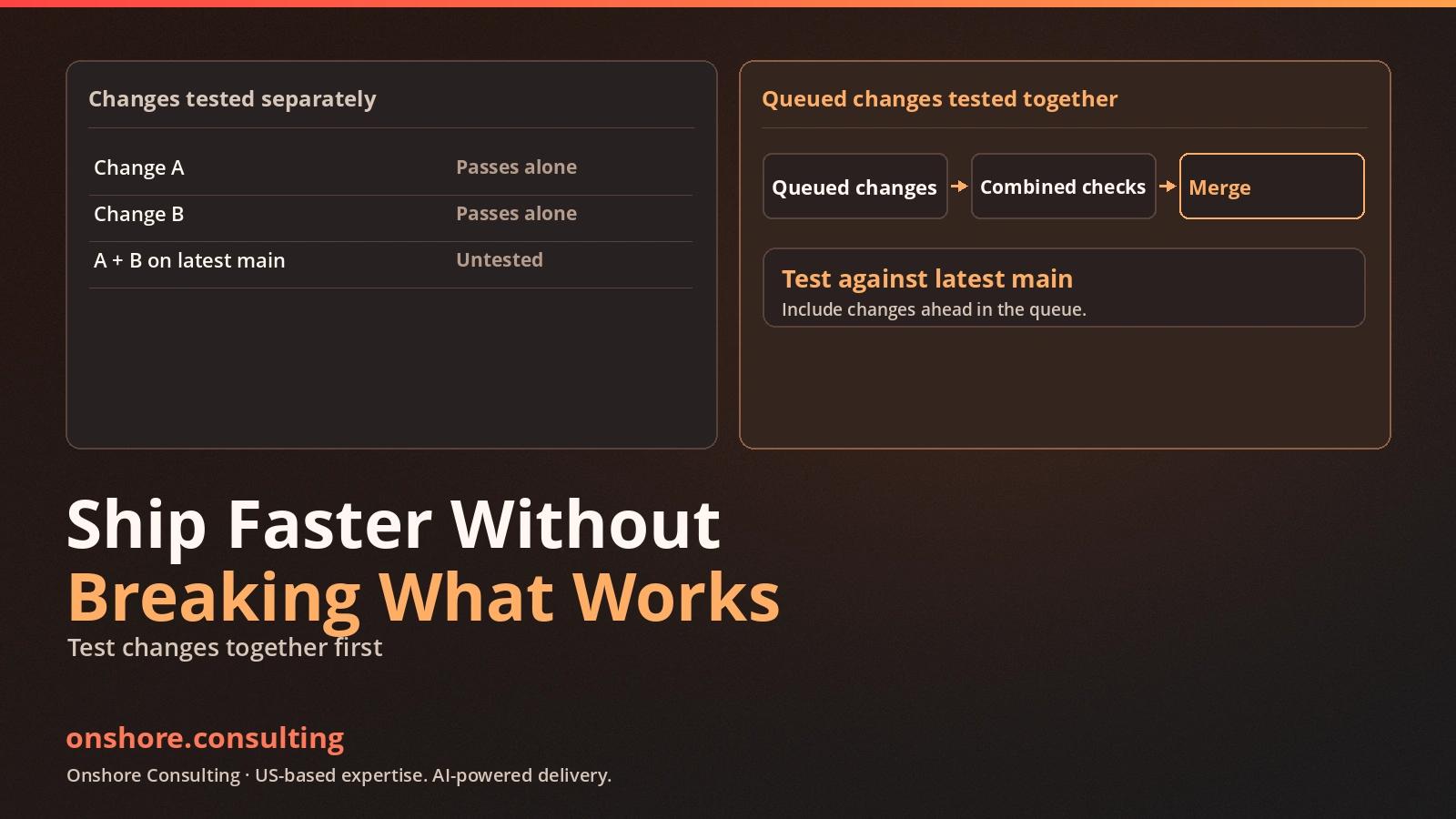
Every pull request was green. Merged together, main went red. When coding agents can open dozens of pull requests in an hour, that pattern stops being unusual.
Each pull request may pass against an older version of main. Several changes can then merge together and fail, despite passing their individual checks.
That creates a new bottleneck because agents can generate changes faster than teams can validate their combined effect. Adding reviewers rarely fixes the underlying problem, because each reviewer still sees only part of the problem.
At AI speed, merging needs to operate as a system. A merge queue retests changes against the latest main and work already ahead of them. Fast checks, sensible priority rules, and a separate release process keep that queue moving without weakening production controls.
Why The Old Merge Flow Breaks
A traditional pull request is usually tested against a snapshot of the target branch. That snapshot can become stale while the author waits for review or approval.
Consider three changes arriving together. One updates a shared data model, another changes an API response, and the third updates a customer-facing page. Each may pass alone, yet their combined behavior can still fail.
This is an integration problem, not necessarily a code-quality problem. The tests answered whether each change worked against its own base. They did not answer whether all three changes worked together after merging.
AI agents make this pattern more frequent across busy repositories. More small changes arrive in parallel, forcing teams to refresh branches, rerun checks, and resolve combinations nobody tested.
What A Merge Queue Actually Does
A merge queue places approved pull requests into an ordered line. It checks each change against latest main and earlier queued changes.
GitHub's native queue creates temporary groups for validation. Required checks run against combined changes, not only outdated branches. Only passing groups can enter the protected main branch.
The important distinction is what gets tested before merging. The queue tests code that will exist together, not only each submitted change. If an earlier change fails, later groups can be rebuilt without it.
For GitHub Actions, the workflow must listen for the `merge_group` event as well as the normal pull request event. Otherwise, required checks may never report for the temporary queue branch.
Merge flow: Each stage must complete before the next stage proceeds. The diagram separates integration checks from release approval.
| 1. Pull requestChange opened and reviewed | 2. Queue retestLatest main plus earlier queued changes | 3. MergeOnly a passing combined state reaches main | 4. Build onceCreate the release candidate | 5. StagingCheck integrated behavior | 6. ProductionApproved release with rollback ready |
|---|---|---|---|---|---|
The queue protects the shared branch, while the release process controls when approved code reaches customers. A green queue result does not approve a production deployment.
Native GitHub Queue Or Mergify?
A native queue is a strong starting point for teams needing ordered merging, branch protection, and existing CI checks. It also avoids another queue service to configure.
GitHub also exposes build-concurrency, merge-limit, and timeout settings. These regulate parallel merge-group checks and the number of passing pull requests merged together. Merge limits do not combine separate CI builds into one shared run.
Mergify suits queues needing configurable batches, priority rules, path scopes, two-step CI, and speculative checks. These features add flexibility but require more configuration.
Speculative checks test several future queue states in parallel, assuming earlier pull requests will pass. If an earlier change fails, affected checks must run again. This can reduce waiting, but it also uses more CI capacity.
Choose the simplest system that solves the bottleneck. A separate product adds configuration and operational overhead.
| Capability | Native GitHub queue | Mergify |
|---|---|---|
| Core queue | FIFO merge groups with required checks against the latest base | Configurable queue rules and merge behavior |
| Batching and checks | Build concurrency and merge limits; no shared batch CI run | Configurable batches and speculative parallel checks |
| Priority and routing | FIFO order with limited jump-to-top behavior | Rule-based priority and path-based scopes |
| Best fit | Straightforward branch protection and lower setup complexity | High queue volume or advanced routing needs |
Choose the simplest merge queue that addresses your team’s actual needs. Before deciding, confirm that the tool supports your CI workflows, branch protection rules, and repository plan.
For advanced queue configuration, see Mergify’s performance documentation, which explains batch sizing and parallel checks.
Checks Have To Be Fast
A queue cannot move faster than its slowest required check. Long suites turn review delays into CI delays.
Aim for required merge-gate checks under ten minutes. Measure where time goes before changing the pipeline.
- Run formatting, linting, type checks, and focused unit tests before a pull request enters the queue.
- Run the integration checks that protect shared interfaces and important business behavior against the combined merge group.
- Cache dependencies and reusable build artifacts where doing so remains safe and predictable.
- Split independent checks into parallel jobs when the runner capacity can support them.
- Keep broad, slow end-to-end suites for the stages where they add the most protection, rather than running every test on every small edit.
Profile the pipeline carefully before buying more runners. A slow formatter or serial test can dominate the wait. Measure job duration and queue delay, then fix the largest waste.
Fast checks must still catch meaningful failures before merge. Removing a required test creates a faster route to an unreliable main branch.
Two Traps That Quietly Stop The Queue
Let’s have a quick overview of what stops the queue and you’re totally unaware of it.
Shared Concurrency Groups Can Cancel Useful Runs
GitHub Actions concurrency controls can limit simultaneous workflow runs. By default, a concurrency group keeps one running job and one pending job. A newer pending run can replace the older pending run. Setting `cancel-in-progress` can also stop a running job when a newer run arrives.
That behavior helps with outdated commits, but it is risky when merge groups share one concurrency key. A newer event can cancel a check that the queue still needs.
Give independent pull requests or merge groups distinct concurrency identities. Cancel work only when it is obsolete, then test several queued changes together.
Flaky End-To-End Tests Block Everyone
A flaky test passes and fails without a relevant code change. When that test is required for every merge, the queue can stop for reasons unrelated to the pull request.
Do not solve flaky tests by ignoring their failures. Stabilize the test's dependencies, then isolate it while the defect is fixed. Keep reliable checks in the merge gate and retain broader coverage in staging or scheduled runs.
Record whether each failure comes from code or the test environment. Use that evidence to decide whether to remove, retry, or repair.
Give Hotfixes A Priority Lane
A production fix should not wait behind routine feature work when customers are affected. Define a hotfix label, a clear approval rule, and a small set of checks that still protect the shared branch.
Priority rules can move an approved urgent change ahead of routine work. Use them sparingly, because reordering can invalidate checks already running behind it.
GitHub's jump-to-top option can rebuild in-progress queue entries. Frequent use can slow the whole queue, even when each urgent change is small.
A priority lane must never bypass required tests. Each hotfix still needs a combined-state check, reviewer, and rollback path.
Merging To Main Is Not Releasing To Production
A successful merge queue proves that the combined changes passed the required checks. It does not prove that the production release is safe at that moment.
Keep merging and releasing as separate operational decisions. Build one release candidate after main changes, then verify it in staging. Production release still needs approval and a rollback plan.
This matters when several changes merge close together. Teams may update main while holding production deployment for a scheduled release window.
The release train handles migration checks, feature flags, smoke tests, and operational sign-off. The queue protects integration; the release process protects customers.
Measure The Queue, Not Just The Number of Merges
Pull requests merged per day shows throughput, not health. Pair it with queue wait and main-branch failures.
| Measure | What it tells you | What to investigate |
|---|---|---|
| PRs merged per day | Throughput reaching main | Compare incoming volume with accepted work |
| Queue wait, median and 95th percentile | Time waiting before merge | Separate CI delay from capacity delay |
| Required-check duration | Time spent at the merge gate | Find slow jobs and serial dependencies |
| Main-branch failures and retries | Integration quality and queue stability | Trace code, test, environment, and policy causes |
Track queue trends across normal working periods, not just one busy afternoon. Higher merge volume matters only when main stays stable and releases remain controlled.
A queue with impressive throughput but frequent red builds is not healthy. Neither is a queue that keeps main green by holding every change for hours.
What This Looks Like In An AI Software Factory
My proprietary agentic AI software factory merges agent work through a queue all day. The agents are not the limit; queue design is.
That principle applies to native queues and separate services. Agents prepare bounded changes, checks validate combined results, and a human owns release decisions.
Set batch size and priority rules from repository evidence. Tune parallel checks to match available CI capacity.
A CI review can show where time disappears before a change reaches main. Use it to improve the check sequence, not remove checks that protect important behavior.
Start With One Busy Branch
Start with the branch receiving the most pull requests. Map its checks and record slow jobs, queue waits, and main-branch failures.
Enable a native queue if ordered integration checks solve the problem. Add batching, priority routing, or speculative checks only when evidence justifies the complexity.
Test failure paths before relying on the queue. Confirm later work is retested and hotfixes cannot bypass required gates.
Agents writing code faster than your team can merge it? Book a free strategy call at onshore.consulting.
Conclusion
AI agents increase code volume, but every change still needs combined testing. A merge queue makes integration repeatable by validating changes against the branch they will join.
Fast checks, careful concurrency settings, and a separate release train keep the process moving without weakening production controls. These controls also protect human production release decisions.
Measure success by reliable work reaching customers, not merge volume alone. Choose the simplest queue that keeps main stable as delivery volume grows.
Related reading
For a practical explanation of AI-assisted engineering gates, read AI-assisted delivery vs. Vibe coding. For the separation between human decisions and agent execution, read two brains, one pipeline.